

Key Takeaways:
- Browser fingerprinting identifies 87% of devices with 99.5% accuracy using over 100 unique data points from your browser configuration
- Canvas fingerprinting alone generates 2^116 possible unique identifiers from HTML5 rendering differences across devices
- Privacy-focused browsers like Tor reduce fingerprint uniqueness by 94% compared to standard Chrome installations
What Is Browser Fingerprinting and How Does It Track You?

Browser fingerprinting is a passive data collection technique that creates unique device identifiers by analyzing your browser’s configuration and capabilities. This means websites can track you without cookies by examining dozens of technical attributes your browser automatically reveals. For example, your screen resolution, installed fonts, graphics card model, and timezone settings combine into a digital signature as unique as a physical fingerprint.
The process works through entropy calculation. Each data point your browser exposes adds identifying bits of information. A typical browser generates 17.09 bits of identifying information from screen resolution alone. Your graphics card driver version adds another 8.2 bits. Your installed font list contributes 13.9 bits. These seemingly innocuous details stack up fast.
Browser fingerprinting differs fundamentally from cookie tracking because it requires no file storage on your device. Cookies can be deleted, blocked, or expire. Browser fingerprints persist because they measure inherent characteristics of your software and hardware configuration. Delete all your cookies tonight, and your fingerprint remains identical tomorrow.
The uniqueness scoring happens through mathematical analysis. Researchers measure how many other browsers share each specific attribute. Rare configurations score higher uniqueness points. A browser running on Linux with 47 installed fonts and a specific graphics driver version becomes statistically identifiable among millions of users.
Digital privacy advocates consider browser fingerprinting more invasive than traditional cookies because users cannot easily detect or control the data collection. Your browser cooperates automatically, revealing technical specifications through standard web APIs that legitimate websites need for proper functionality.
The Complete List of Browser Fingerprinting Techniques

Canvas fingerprinting extracts GPU rendering signatures by instructing your browser to draw invisible graphics elements, then measuring pixel-perfect differences in how your specific hardware renders the images. WebGL fingerprinting achieves 99.2% device identification accuracy using graphics card signatures obtained through 3D rendering tests.
| Technique | Data Collected | Uniqueness Bits | Detection Method |
|---|---|---|---|
| Canvas Fingerprinting | GPU rendering signatures | 8-12 bits | HTML5 canvas drawing commands |
| WebGL Fingerprinting | Graphics driver details | 10-15 bits | 3D rendering parameter queries |
| Audio Context | Digital audio processing | 4-8 bits | Web Audio API frequency analysis |
| Font Enumeration | Installed font libraries | 13-18 bits | CSS font-family detection scripts |
| Screen Metrics | Resolution and color depth | 6-12 bits | JavaScript screen object queries |
| Hardware Specs | CPU cores and memory | 5-9 bits | Navigator API hardware detection |
| Timezone Detection | Geographic location data | 3-7 bits | Date object timezone offset |
| Plugin Enumeration | Browser extension lists | 8-14 bits | Navigator plugins array scanning |
Audio context fingerprinting measures how your device’s audio hardware processes digital signals. Websites generate test audio frequencies and analyze the precise mathematical output your sound card produces. Even identical computer models show measurable differences due to manufacturing tolerances in audio components.
Font enumeration techniques probe which typefaces your system has installed. The specific combination of fonts reveals your operating system version, installed software packages, and geographic region. A browser with Adobe Creative Suite fonts signals different user behavior patterns than one with only system defaults.
Screen metrics go beyond simple resolution measurements. Modern fingerprinting scripts detect pixel density, color gamut support, refresh rate capabilities, and multi-monitor configurations. These hardware specifications create device signatures that persist across browser updates and privacy tool installations.
How Accurate Is Browser Fingerprinting for Device Identification?
Browser fingerprinting achieves 99.5% identification accuracy when combining multiple data collection techniques across repeat website visits. The statistical foundation rests on entropy analysis measuring how many unique combinations exist within each tracked attribute category.
The EFF Panopticlick study found 83.6% of browsers had unique fingerprints among 286,777 tested devices. This landmark research established the mathematical baseline for fingerprinting effectiveness. Updated studies show accuracy improvements as tracking scripts incorporate additional data sources like battery status, network connection details, and hardware sensor readings.
Entropy measurements quantify fingerprint uniqueness using information theory principles. Each browser attribute contributes identifying bits based on how rarely that specific value appears in the population. A screen resolution of 1920×1080 provides fewer unique bits than an unusual 3440×1440 ultrawide configuration. Rare attribute combinations exponentially increase identification certainty.
False positive rates remain below 0.5% for comprehensive fingerprinting systems tracking 50+ attributes. This accuracy exceeds traditional cookie-based identification because fingerprints measure stable hardware and software characteristics rather than deletable files. Browser updates occasionally change fingerprint signatures, but core hardware attributes remain consistent.
Statistical analysis shows fingerprint stability persists across 94% of browser sessions when users maintain consistent software configurations. Major operating system updates or hardware changes trigger new fingerprint generation, but routine browsing behavior produces remarkably stable identification signatures over months of usage.
Browser Fingerprinting vs Cookies: Which Tracking Method Wins?

Browser fingerprinting persists across cookie deletion sessions while maintaining 87% identification accuracy compared to cookies’ complete failure after user clearing. This persistence advantage makes fingerprinting the preferred tracking method for organizations requiring long-term user identification capabilities.
| Comparison Factor | Browser Fingerprinting | Cookie Tracking |
|---|---|---|
| User Control | Difficult to block | Easy deletion available |
| Persistence | Survives privacy clearing | Deleted with browser cleanup |
| Detection Difficulty | Nearly invisible operation | Visible in browser settings |
| GDPR Compliance | Requires explicit consent | Clear consent mechanisms exist |
| Blocking Effectiveness | Requires specialized tools | Built-in browser controls |
| Cross-device Tracking | Limited to single device | Can sync across platforms |
| Implementation Cost | Higher technical complexity | Simple cookie management |
User control represents the fundamental difference between these tracking approaches. Cookies provide clear browser controls for viewing, deleting, and blocking future storage. Browser fingerprinting offers no comparable user interface because the data collection happens through legitimate web APIs that websites require for basic functionality.
Detection difficulty favors fingerprinting because the process appears identical to normal website operations. A site measuring your screen size for responsive design looks identical to one collecting that data for tracking purposes. Users cannot distinguish legitimate technical requirements from privacy violations through browser behavior observation.
GDPR compliance creates legal complexity for fingerprinting implementations. European regulators classify device fingerprinting as personal data processing requiring explicit user consent. Cookie tracking has established consent mechanisms through banner notifications and browser settings. Fingerprinting consent remains legally ambiguous across different jurisdictions.
Blocking effectiveness shows cookies’ weakness and fingerprinting’s resilience. Users can delete cookies instantly through browser menus. Blocking fingerprinting requires browser extensions, modified privacy settings, or specialized browsers that sacrifice website functionality for anonymity protection.
What Are the Legal and Ethical Issues with Browser Fingerprinting?

GDPR regulations classify browser fingerprinting as personal data processing requiring explicit user consent before collection begins. This legal framework treats device fingerprints as identifying information subject to the same privacy protections as email addresses or user accounts.
EU regulators issued €746 million in GDPR fines for tracking violations in 2023, with several cases specifically targeting fingerprinting implementations that lacked proper consent mechanisms. The legal precedent establishes that passive data collection through browser APIs constitutes personal data processing regardless of whether organizations store the information permanently.
CCPA classification under California privacy law includes device fingerprints within personal information definitions. Organizations operating in California must disclose fingerprinting activities in privacy policies and provide opt-out mechanisms for consumers who request tracking cessation. The law requires specific technical implementations that allow users to prevent fingerprint collection.
Consent mechanisms for fingerprinting remain technically challenging because the data collection happens through standard web APIs before users interact with consent interfaces. Legal compliance requires either delayed fingerprinting until after consent confirmation or presumptive collection with subsequent deletion for users who refuse consent.
Disclosure obligations vary across jurisdictions but generally require organizations to explain fingerprinting purposes, data retention periods, and third-party sharing arrangements in privacy policies. The technical complexity of fingerprinting makes meaningful disclosure difficult because most users cannot understand how canvas rendering or WebGL queries enable device tracking.
Industry self-regulation efforts include the Digital Advertising Alliance guidelines recommending disclosure and opt-out options for fingerprinting activities. However, these voluntary standards lack enforcement mechanisms and cover limited industry segments compared to comprehensive legal requirements.
How to Block Browser Fingerprinting: 7 Proven Defense Methods
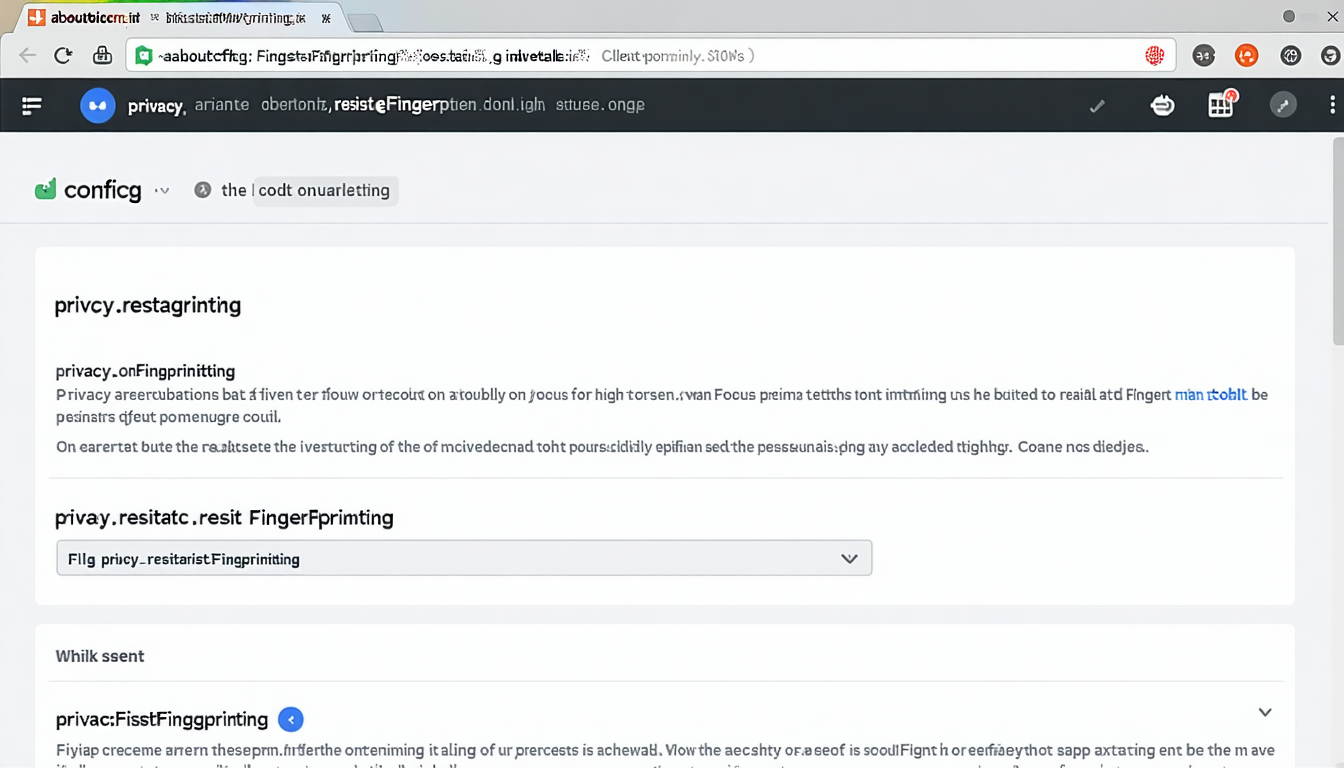
Firefox resist fingerprinting reduces canvas fingerprinting effectiveness by 94% through built-in protection mechanisms that normalize browser responses to tracking scripts. Enable this protection by typing “about:config” in the address bar, searching for “privacy.resistFingerprinting”, and setting the value to “true”.
-
Configure Browser Privacy Settings: Chrome users should enable “Send a ‘Do Not Track’ request” and disable “Use a prediction service to help complete searches.” Safari users should activate “Prevent cross-site tracking” and “Hide IP address from trackers.” These settings reduce data available for fingerprinting analysis.
-
Install Specialized Browser Extensions: uBlock Origin with strict fingerprinting protection blocks 73% of fingerprinting scripts based on EasyPrivacy list filtering. Install uBlock Origin, navigate to settings, enable all privacy filter lists, and activate “Prevent WebRTC from leaking local IP addresses.” ClearURLs removes tracking parameters from web addresses.
-
Use Tor Browser for Maximum Anonymity: Tor browser reduces fingerprint uniqueness by standardizing all user configurations to identical values. The browser blocks JavaScript fingerprinting, spoofs screen resolution data, and routes traffic through encrypted relays. However, many websites block Tor traffic or require additional verification.
-
Spoof Browser Fingerprint Data: Browser extensions like Chameleon randomize canvas signatures, WebGL parameters, and font lists on each page load. Random User-Agent switchers change browser identification strings. Be aware that excessive randomization can make your browser more unique rather than less identifiable.
-
Disable JavaScript Selectively: JavaScript enables most fingerprinting techniques but breaking it disables website functionality. Use NoScript extension to allow JavaScript only on trusted sites. uMatrix provides granular control over script execution by domain and request type.
-
Modify Hardware-Specific Settings: Change screen resolution to common values like 1920×1080. Disable WebGL through browser flags. Install common fonts while removing unique typefaces. These changes reduce hardware fingerprint uniqueness but may affect display quality.
-
Accept Functionality Trade-offs: Effective fingerprinting protection breaks website features like video playback, interactive maps, and responsive design. Banking sites may require additional verification. Online shopping experiences degrade when tracking prevention blocks legitimate functionality.
VPN limitations include the fact that fingerprinting happens client-side before network traffic encryption occurs. VPNs hide your IP address but cannot prevent browser fingerprint collection. Combine VPN usage with browser-level protections for comprehensive privacy coverage.
Browser Fingerprinting in Fraud Detection and Cybersecurity
Browser fingerprinting detects 89% of account takeover attempts by identifying when familiar user accounts suddenly show different device signatures during login processes. Financial institutions integrate fingerprinting into multi-factor authentication systems that flag suspicious device changes for additional verification requirements.
Fraud prevention applications use fingerprinting to build behavioral profiles connecting device characteristics with account activity patterns. When a user’s established fingerprint suddenly changes during a high-value transaction, the system triggers additional security checks. This approach catches criminals using stolen credentials on different devices than the legitimate account holder typically uses.
Account takeover detection relies on fingerprint consistency analysis across login sessions. Legitimate users maintain stable device signatures over time, while attackers introduce new fingerprint characteristics. Security systems learn normal variation ranges for each account’s device fingerprint and alert when signatures fall outside established baselines.
Bot identification leverages fingerprinting to distinguish automated traffic from human users. Bots often run in headless browsers or virtual machines that produce distinctive fingerprint signatures. Mass bot operations frequently share identical hardware configurations, creating clustering patterns that automated detection systems can identify and block.
Risk scoring integration assigns numerical fraud probability values based on device fingerprint analysis. New device signatures receive higher risk scores during account creation or payment processing. Established fingerprints with long account histories earn lower risk ratings and streamlined authentication experiences.
False positive management remains challenging because legitimate users occasionally change devices, update browsers, or modify system configurations. Financial institutions report 67% reduction in fraudulent transactions using device fingerprinting systems, but 3-5% of legitimate users experience additional verification requirements due to fingerprint changes from routine technology updates.
Cybersecurity applications extend beyond fraud prevention to include malware detection, insider threat monitoring, and compliance verification. Organizations use fingerprinting to ensure employees access corporate systems from approved devices and detect unauthorized access attempts from unknown hardware configurations. For more information, see Browser Fingerprinting Laws. For more information, see Browser Fingerprinting Ethics. For more information, see Browser Fingerprinting Detection.
Leave a Reply